Your daily Shopify numbers.
In one glance.
Revenue, ad spend, and blended ROAS together on your desktop or iPhone. Check your store, see how today is going, and get back to your day.
$9.99/month after a 7-day free trial. Desktop, iPhone app, and widgets included.
Start with your Shopify store. iPhone app requires iOS 26 or later.
Built by Yousef, the Shopify merchant behind Lift Down. Get help connecting your store.
Connect your platforms in minutes
Connect Shopify and the ad accounts you use. Keel reads your results without changing your campaigns.

Shopify
Your store’s revenue, orders, and average order value.

Meta Ads
Facebook and Instagram ad spend and campaign results.

Google Ads
Spend and reported conversions across your Google Ads campaigns.

TikTok Ads Coming soon
New TikTok connections are not available yet. Start with Meta, Google Ads, or Snapchat.

Snapchat Ads
Snapchat campaign spend and reported revenue.
Make your daily check simpler
Start with revenue, ad spend, and blended ROAS. Look closer when something needs your attention.
Revenue and ad spend, together
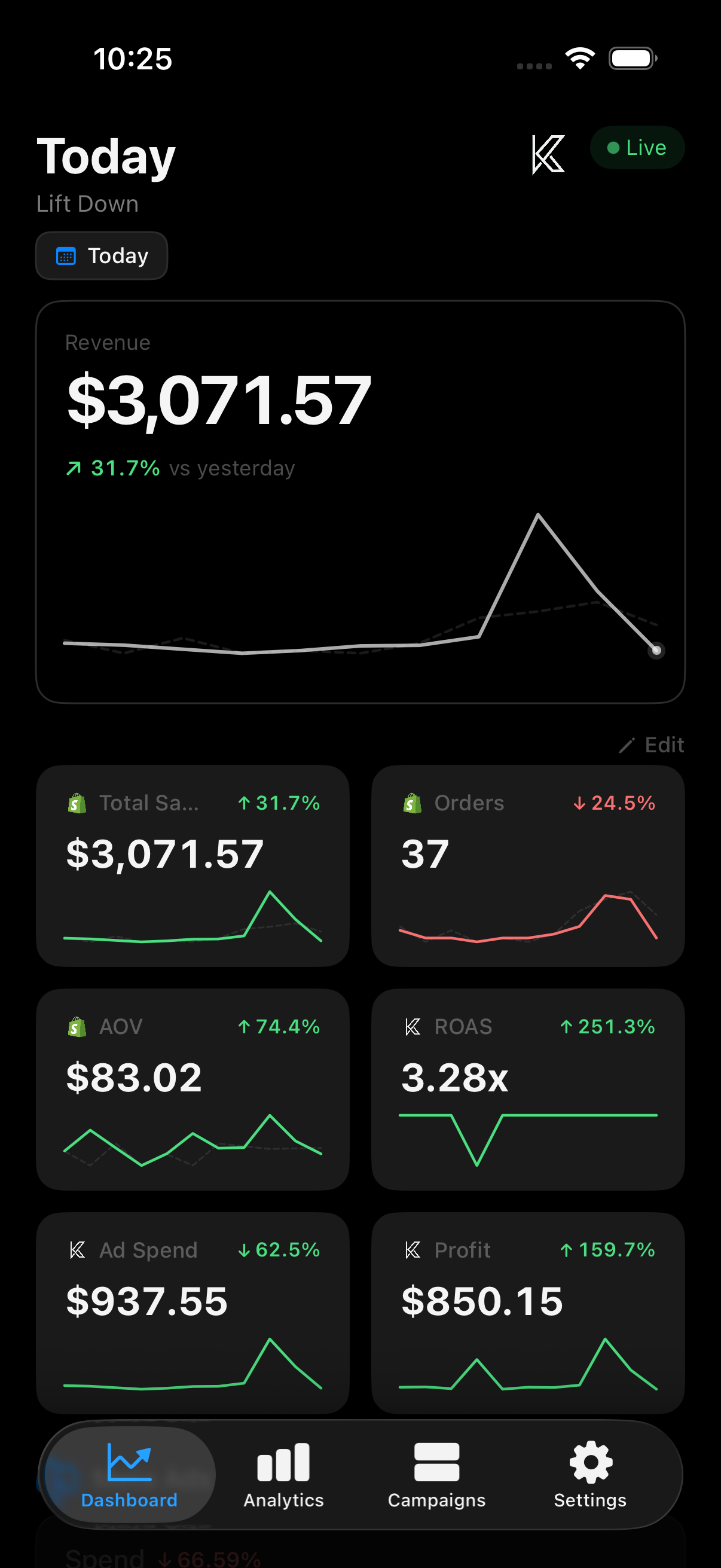
Compare Shopify revenue with your connected ad spend. See blended ROAS and daily trends, then add your costs for an estimated profit and margin.
- Day-over-day percentage comparisons
- Hourly revenue sparkline charts
- Per-platform spend and ROAS breakdown
- Live order count and AOV
Platform-by-platform breakdown
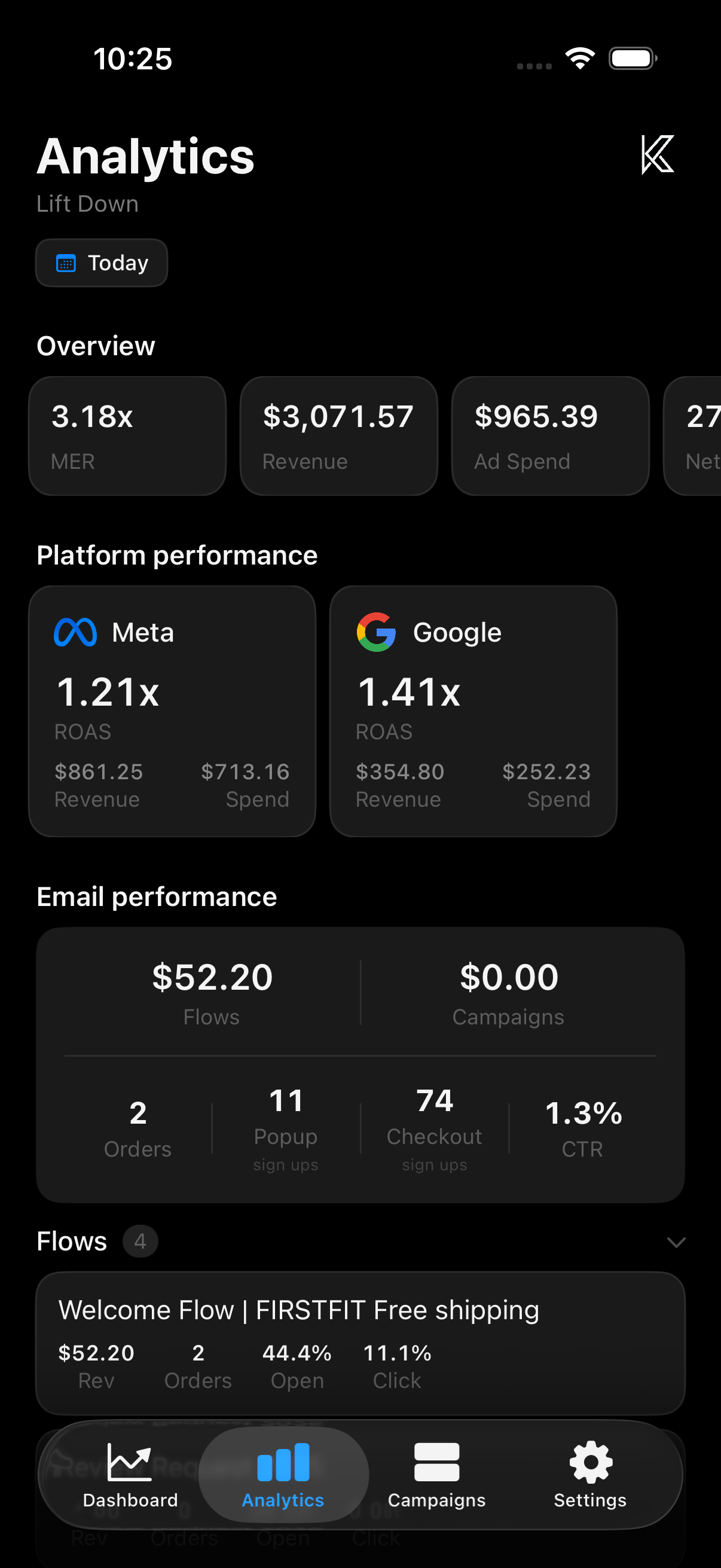
Compare platform-reported ROAS, revenue, and spend across Meta, Google, and Snapchat. See email performance from Klaviyo alongside your ad results.
- Cross-platform MER calculation
- Email marketing performance tracking
- Popup and checkout signup metrics
- Click-through rate monitoring
Take a closer look at campaigns
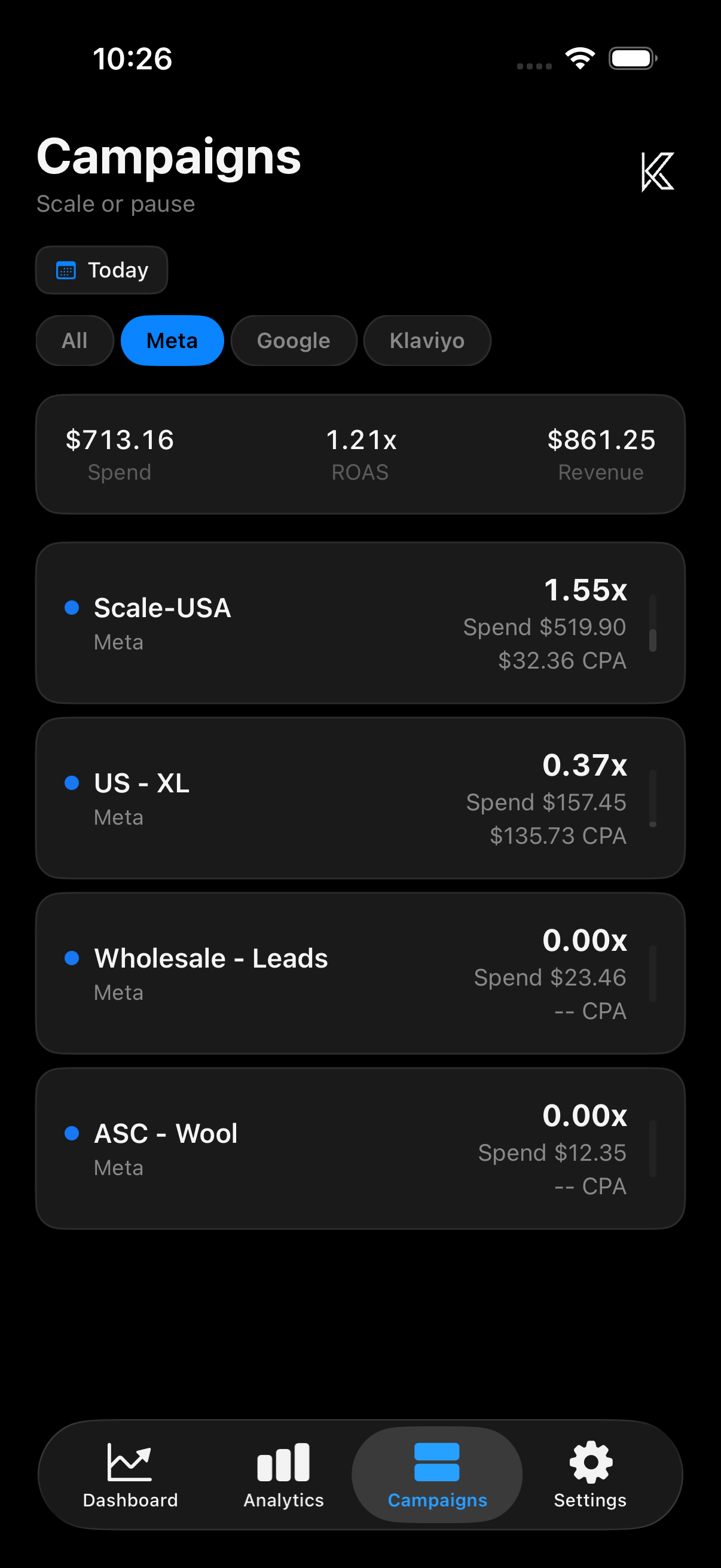
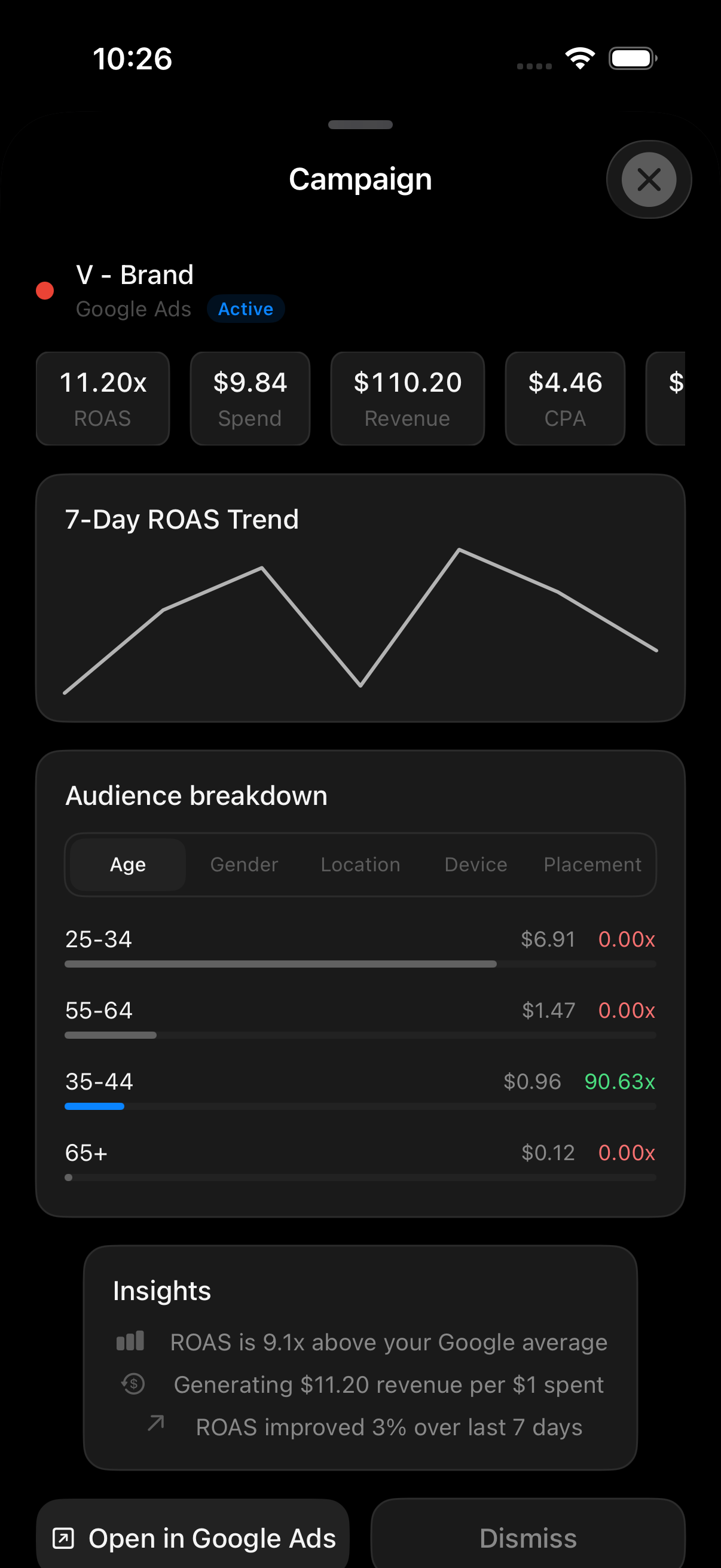
Review campaign spend, platform-reported ROAS, revenue, and CPA before your next budget decision. These are reporting metrics, not independent attribution of each order.
- Campaign-level ROAS and CPA
- 7-day ROAS trend charts
- Audience breakdown by age, gender, location
- AI-generated campaign insights
From install to your first daily check
Connect Shopify
Install Keel from the Shopify App Store and start your trial. Connect the store you want to track.
Link ad accounts
Connect an ad platform and select the account you actually spend from. Add your other platforms when you’re ready.
Check your numbers
Check that your revenue and spend have loaded. Open Keel on desktop, or get the iPhone app and add a Home Screen widget.
How Keel connects to your accounts
Transparent API usage
Keel uses official, read-only API access from each platform. Here's exactly what we access and why.
Shopify GraphQL Admin API
Scopes: read_orders, read_reports
We query order data to calculate revenue, AOV, and order count. No write access.
Meta Marketing API
Permission: ads_read
We read campaign insights (spend, impressions, conversions, purchase ROAS) from the Insights endpoint.
Google Ads API
Access: Read-only via GAQL
We query metrics.cost_micros, metrics.conversions, metrics.conversions_value, and segments.hour for spend and ROAS reporting. No campaign management.
TikTok Reporting API
Access: Read-only reporting
TikTok reporting is planned; new TikTok connections are currently unavailable.
Snapchat Marketing API
Access: Read-only stats
We read ad spend and conversion value from campaign stats endpoints.
Make tomorrow’s numbers easier to check.
Connect your Shopify store and ad accounts. Try the desktop dashboard and iPhone app free for 7 days, then $9.99/month through Shopify.
Start free trial on Shopify